
The employee life cycle, the journey of a person from “a potential candidate who applies for a job at a company at some point” to “becoming an employee of the company” to “eventually leaving the company”, consists of 6 stages. In this article I will describe the stages of the employee life cycle and will also describe a few metrics that can be used to evaluate how the organization is doing at each stage. These metrics will allow HR teams (and others) to understand how things are going at each stage so that they can make data-driven decisions to improve outcomes. As I described in more detail in another article, “What is HR / People / Workforce Analytics?”, examples of the “outcomes” that companies seek to improve, include but are not limited to: successful hiring, reduced costs, high employee engagement, reduced absences, high employee productivity, low turnover or high retention (especially of top talent), accurate staff forecasting, and attributable business impact.
While the metrics covered here are relevant in almost all companies, these are just examples of some of the possible metrics. There are many other metrics that a company could track, and other metrics may be more relevant in your organization, and you would therefore use those metrics to guide the management of the stages. The main idea here is to identify the metrics for each stage that are important to your organization and use them to help manage your life cycle using data and not just intuition.
Another thing to keep in mind is, you must have the relevant data to generate the metrics you are interested in tracking. Once you determine the metrics that are important to you, then you need to make sure the data needed to generate those metrics is available in some form, otherwise a plan must be devised to start generating, capturing, and storing the necessary data.
The Stages
The Employee Life Cycle has 6 stages. They are (1) Attracting/Recruitment, (2) Hiring, (3) Onboarding, (4) Development, (5) Engagement/Retention, and (6) Separation.

Each stage is important and, with the right data, can provide insight into how effective your organization is at making the best of its most important and valuable resource (its employees). Let’s take a look at each stage in more detail.
Stage 1: Attracting / Recruitment

In this stage, organizations engage in indirect and direct efforts to attract and recruit candidates. Organizations will make efforts to build their brand as a great company and employer which will attract potential candidates with a desire to work there. They will also perform direct recruiting efforts such as job postings, job fairs, recruiting events, college outreach, and more. Companies generally desire to have a robust pool of potential candidates and a solid number of applicants for their open positions. It is important to know if you are attracting the right candidates, recruiting in the right places and with the best mediums, and using effective methods.
Below are a few metrics that can be used to analyze how things are going at this stage. You will use metrics relevant to tracking and meeting your company’s recruitment goals.
Attracting / Recruitment Metrics
| Metric | Description and commentary |
| Average recruiting cost per hire | What the organization spends on average in recruitment to fill a position. If this number is too high, a company will need to find ways to lower the cost by implementing new recruiting methods or eliminating some methods. |
| Average length of hiring cycle | Measured from the date HR is asked to fill a position to the date the new hire starts the job. So, this metric spans more than just the recruitment stage. If this length of time is too long or has started trending in the wrong direction, the recruiting team can examine to determine where the delays are coming from and take necessary action if it turns out to be a result of the attracting/recruiting efforts. |
| On-time talent delivery factor | Average number of days that newly hired employees’ start dates differs from the need-by date listed on the requisition requesting the hire. If this metric shows that on-time delivery is low, then the team needs to examine things like … Are we attracting the wrong applicants or in other words, are we attracting quality candidates? Are our job postings effective? Are we recruiting with the right frequency and using the right mediums/methods? |
| Recruitment source ratio | This metric is calculated by: Internal hires/External hires This will shed light on if the company is “recruiting” internally, and also if they are developing internal people properly and encouraging internal mobility. A high Recruitment Source Ratio is a good sign that employees want to stay with the company and have opportunities for growth and mobility, which will help the company’s brand as an “employer of choice”. |
| Offer Acceptance Rate | What percentage of candidates accept job offers presented by the company. This is calculated by: Offers accepted/Offers made x 100. The aim is to get this number as close to 100% as possible. While this metric is most relevant in the Hiring stage, it is also important for team members that monitor the Recruitment stage to pay attention to this metric to determine if any changes need to be made in Recruiting before the person moves to the Hiring stage. For example, if this metric is too low, it might be relevant to investigate if Recruiting is setting the wrong expectations which don’t materialize for the candidate in the Hiring stage. |
| Internal Hire rate | The percentage of hires that are internal hires. This metric provides similar insights as the Recruitment Source Ratio metric and will let you know if your company is attracting qualified internal candidates for open positions and supporting internal mobility. |
| Number of applicants per job listing | The number of applicants applying to each job. This will shed light on your company’s recruiting power. It will also show which jobs may need unique recruiting approaches. |
| % of diverse applicants | The percentage of applicants that are diverse. This metric will help you to track if your recruiting efforts are supportive of your diversity goals. |
Stage 2: Hiring

This is where an organization interviews, selects, extends offers to, and hires candidates to join their staff. This is an important stage because hiring the “right” people is critical to the success of any company. But it’s also important to make sure that applicants not selected are also handled properly by the process.
Below are a few metrics that can be used to analyze how things are going at this stage. You will use metrics relevant to tracking and meeting your company’s hiring goals.
Hiring Metrics
| Metric | Description and commentary |
| Headcount & Headcount demographics | The number of employees in the company; and the number of employees broken out by various demographic and organizational values. This helps a company to see if headcount is shrinking, growing, or stable, and if the headcount is within the company’s or division’s target ranges. This will also shed light on the diversity makeup of the employees across the company and across smaller org units within the company. |
| # of new hires | The number of new hires within some timeframe (month, quarter, year). This metric can help companies prepare for new employees. It may also lead to investigative questions like … why are we hiring so much? Or why has hiring dropped so much? This metric can also be analyzed in comparison to terminations, as in the Net Hire Ratio metric described below. |
| Time to hire | The time it takes from the job posting to a hire for the position. This is an indication of the strength of the company’s candidate pool and how efficient their recruiting and hiring processes are. |
| Offer acceptance rate | This metric was also included in the Recruitment stage. The percentage of candidates that accept job offers presented by the company. It is often calculated as: Offers accepted/Offers made x 100 The aim is to get this number as close to 100% as possible. If this number of low or trending down, the HR Teams can investigate to identify the causes and determine possible actions for improvement. |
| Net hire ratio | The ratio of the number of employees joining the organization to the number leaving. If this ratio is greater than 1 then more people are joining than those leaving, and it’s the opposite if this ratio is less than 1. It is calculated by: External hires/Terminations |
| New hire turnover contribution | This metric provides the percentage of total terminations that is attributable to the termination of short-tenure employees. If this number is high, then HR needs to examine recruiting, hiring, onboarding, and early development stages. |
| Performance of new hires in first year | This metric provides a measure of the performance of new hires. Implementing programs to drive high performance in new employees will reduce turnover and likely improve overall outcomes for the company. |
| New hire Turnover rate (3 months, 6 months, first year, 2 years) | This is a measure of the percentage of new hires that are leaving the company. And this should be tracked at various tenure marks and across relevant dimensions (such as your various orgs and jobs). This is another way to measure the quality of new hires and can be very useful to identify where you might be having a new hire turnover issue. |
| Cost per hire | This measures how much it is costing to hire each employee. Tracking this metric allows HR departments to easily recognize when they may need to make adjustments in the hiring process to reduce costs. This metric is also important for some ROI analyses. |
| Average cost of a bad hire | Measures the cost of hiring employees that did not work out. Breaking this down by department, position, and other dimensions is most useful and hits home with the importance of hiring “right”. |
| New hire satisfaction index | This metric measures if new hires are satisfied with their job. This metric’s data is usually derived from surveys. This metric will shed light on new hire turnover, and quality of hire metrics. This will help to identify if changes are needed in the recruiting, hiring, onboarding, or developments processes. |
| Manager satisfaction with new hires index | This metric measures the satisfaction of managers with new hires reporting to them. The data for this metric is usually derived from surveys. This metric can be compared to the “New hire satisfaction index” metric to see if these 2 perspectives are in sync or if they diverge. This will help to identify if changes are needed in the recruiting, hiring, onboarding, or developments processes. |
| Quality of hire | This is a measure of the value new hires bring to a company or in other words, a measure of whether new hires turned out to be good hires. How companies measure this will vary. Most will use tenure/turnover data, and some may also include employee performance data, and even employee and manager satisfaction data, and exit survey data. |
| Internal Hire rate | The percentage of hires that are internal hires. This metric will let you know if your company is attracting qualified internal candidates for open positions and supporting internal mobility. |
| % of new hires that are diverse | The percentage of new hires that are diverse. This metric will help you to track if you are meeting your diversity goals. |
Stage 3: Onboarding

In this stage, an organization “onboards” newly hired employees. This includes setting up the new employees with access to buildings and networks, providing information about the company’s operations, culture, and more, and providing information about benefits, intranets, etc., and potentially introducing them to key leaders. The whole idea here is to transition the new employee into the company as smoothly as possible, with relevant knowledge to get started efficiently, and with the right expectations and mindset based on the company’s goals and culture. The first few weeks on the job is a very important phase and can “make or break” the success of new employees. It takes time to get new hires to be productive, and therefore, it’s very costly when an organization loses these new hires quickly.
Below are a few metrics that can be used to analyze how things are going at this stage. You will use metrics relevant to tracking and meeting your company’s onboarding goals.
Onboarding Metrics
| Metric | Description and commentary |
| Onboarding satisfaction | The sentiment of new hires after the onboarding process is complete. This metric will usually be derived from survey data. Sometimes the satisfaction of the hiring managers is also tracked. This metric will shed light on whether changes are needed in the onboarding process. |
| New hire turnover (or new hire retention) | This metric provides the percentage of total terminations that is attributable to the termination of new or short-tenure employees, where the tenure term is usually tracked at various marks, such as 3 months, 6 months, and 1 year. If using the “retention” metric, then it’s the opposite, which is … the percentage of new employees that remain with the company. And this can also be tracked at various tenure marks. |
| Retention threshold | This metric tracks the threshold points at which employees are leaving. It may help to identify if you have a problem at specific tenure points, perhaps in specific roles or departments, which will allow a company to analyze more closely and determine what actions may help to address the situation. |
| Time to productivity | This is a measure of the time it takes to make an employee productive. This will vary by job and so it’s best to be able to measure and use it accordingly. This metric is useful for identifying what changes might be needed in the onboarding process to shorten this time. The metric can also be used for setting expectations for employees and managers. |
| Cost to productivity | This is the cost version of the “Time to productivity” metric. It is a measure of the costs involved in making an employee productive (cost of training and more). Similarly, this metric is useful for identifying what changes might be needed in the onboarding process to shorten this time and lower the costs. |
| Training completion rate | The percentage of employees completing their required training in the allotted time. Depending on the nature of the organization, this could be a critical metric and will shed light on what changes may be needed in the new employee training process or content. |
| Average onboarding costs per hire | The amount an organization spends on onboarding after filling a position with a new hire. This will help HR teams to determine if changes are needed to the process. |
Stage 4: Development

During this stage, organizations provide training and development opportunities for the employees including formal training, on the job training, documentation, opportunities to use new knowledge, mentoring, along with all other relevant pieces to help employees be as productive as possible in their jobs. The initial and ongoing development of employees is critical to the confidence, performance, and success of the employees on the job.
Below are a few metrics that can be used to analyze how things are going at this stage. You will use metrics relevant to tracking and meeting your company’s development goals.
Development Metrics
| Metric | Description and commentary |
| Employee productivity | This is a measure of how productive employees are in their respective roles, and how productive employees are overall toward the goals and expectation of the company. This metric may shed light on, for example, if training is not effective or if additional trainings are needed, if the company’s culture is affecting performance, or if process or organizational changes are impacting employees, among other things. Anything negatively impacting productivity should be addressed with the highest priority. |
| Employee satisfaction with job/role | This metric identifies how satisfied employees are with their job. As you can imagine, unsatisfied employees lead to a whole set of issues, including the failure of the company to meet its goals. This is usually measured using surveys, one-on-one interactions, and potentially social media data. As with Employee Productivity, anything negatively impacting Employee Satisfaction should be addressed with the highest priority. |
| Employee performance | This is a measure of how employees are performing in their respective roles. This is similar to the “Employee productivity” metric. Are employees performing at or above expectations? If not, what can be done to improve the situation? |
| Training completion rate | A measure of the percentage of employees that are completing the required trainings. This may provide insight into questions like: Do we need to make changes to the training (content, delivery, timing)? Is there a correlation between completed training and job performance? |
| Training completion time | A measure of the time it takes to complete training. This metric will be a part of what makes up the “Time to productivity” metric. Monitoring this metric will provide insight into whether this metric is trending up or down, and what changes may be needed to the training programs. |
| Training effectiveness | A measure of how effective the new employee training is. Monitoring this metric will provide insight into what changes may be needed to the training programs. |
| Training expense per employee | A measure of how much training costs per employee. This metric will become a part of what makes up the “Cost to productivity” metric. This metric will be useful for identifying employee ROI. If this metric is trending up, it needs to be investigated to understand why and make adjustments as necessary. |
| Time to productivity | This metric is also in the Onboarding stage but for some jobs/companies, it goes beyond onboarding to get to full or acceptable productivity. This is a measure of the time it takes to make an employee productive. This will vary by job and so it’s best to be able to measure and use it accordingly. This metric is useful for identifying what changes might be needed in the onboarding and development stages to shorten the time. The metric can also be used for setting expectations for employees and managers. |
| Cost to productivity | This metric is also in the Onboarding stage but for some jobs/companies, it takes beyond onboarding to get to full or acceptable productivity. This is the cost version of the “Time to productivity” metric. It is a measure of the costs involved in making an employee productive (cost of training and more). Similarly, this metric is useful for identifying what changes might be needed in the onboarding and development stages to shorten the time and lower the costs. |
| Revenue per employee | This measures how much revenue the company generates per employee. Ideally, this metric should be trending up, but is acceptable to be going down during growth initiatives with lots of hiring. This metric will be useful for identifying employee ROI. |
Stage 5: Engagement / Retention

This is typically the longest stage of the employee life cycle, potentially spanning many years. In this stage, an organization will monitor the employees’ performance and provide competitive salaries, benefits, learning and development opportunities, growth opportunities, recognition, rewards such as bonuses, and take other steps to grow and retain effective employees. This stage could span years and includes many activities that need to be measured and monitored.
Below are a few metrics that can be used to analyze how things are going at this stage. You will use metrics relevant to tracking and meeting your company’s retention goals.
Engagement / Retention Metrics
| Metric | Description and commentary |
| Retention rate | This measures the percentage of employees that stay with the company. It is the opposite of “Turnover rate”. It is often calculated as: (Starting headcount + external hires – terminations)/(Starting headcount + external hires) x 100 |
| Key employee retention rate | This is the same as “Retention rate” but limited to those defined as key employees or high-performing employees or top-talent employees. Obviously, companies are most concerned about retaining their key talent. Any decline in the retention rate of key employees must be analyzed carefully and acted upon, if necessary, with a high priority. |
| Average retention period | Average amount of time employees stay in their positions (typically broken down by department and position). This metric can be analyzed alongside satisfaction and performance metrics. |
| Turnover rate Voluntary turnover rate / Involuntary turnover rate (also called Attrition rate) | This measures the percentage of employees leaving the organization. This metric is the opposite of “Retention rate”. It is often calculated as: (Terminations/Average headcount) x 100 And it is typically broken out by Voluntary and Involuntary Terminations. As with many other metrics, this will be most insightful when broken out by time, org (region, department, etc.), manager, termination reasons, and other dimensions. |
| Employee retention index | This metric measures how likely employees are to stay with the organization. The data for this metric typically comes from surveys. This metric sheds light on if changes are needed to the current retention efforts. |
| Employee satisfaction | This metric measures employee overall satisfaction. Employee satisfaction has a direct and significant impact on a company’s success. This is usually measured using surveys, one-on-one interactions, and potentially social media data. This measure should be tracked by org, and by role. And it should also be tracked with whether there have been recent major organizational or process changes. |
| Employee performance | This metric is also included in the Developing stage of the life cycle. This is a measure of how employees are performing in their respective roles. Are employees performing at or above expectations? If not, what can be done to improve the situation? |
| Talent turnover rate | This is the opposite of the “Key employee retention rate “ metric listed earlier, but measures turnover of key employees as opposed to retention of those employees. Obviously, companies are most concerned about reducing the turnover of their key talent. |
| Time since last promotion | The time since an employee was last promoted. This metric can provide insight into what impact promotions may have on areas such as turnover/retention, employee satisfaction, and performance. |
| Time since last salary increase | The time since an employee last received a salary increase. This metric may provide similar insights as the “Time since last promotion” metric. This metric can provide insight into what impact raises may have on areas such as turnover/retention, employee satisfaction, and performance. |
| Absence rate | This metric measures how often employees are absent from work. Like many other metrics, this will be most insightful when viewed by various dimensions, such as by org or by manager. High absence will undoubtedly impact the company’s overall performance and must be addressed when necessary. |
| Overtime hours | The is the amount of overtime hours worked by employees. A high amount of overtime is not necessarily bad, as it may be a result of business growth, but on the other hand, it may indicate problems with inefficient scheduling or overtime abuse. Another consideration is checking the impact overtime has on turnover and employee satisfaction. |
| Revenue per employee | This measures was also included in the “Development” stage of the life cycle. It measures how much revenue the company generates per employee. Ideally, this metric should be trending up, but is acceptable to be going down during growth initiatives. This metric will be useful for ROI analyses. |
| Time to resolution of HR cases | This measures how quickly HR cases are resolved. This can impact employee satisfaction and therefore, is important to track and monitor. |
Stage 6: Separation

This is where the employee and the organization separate. The termination may be voluntary (the employee decided to leave the organization), or it may be involuntarily (the organization decided the employee must leave).
Below are a few metrics that can be used to analyze how things are going at this stage. You will use metrics relevant to tracking and meeting your company’s separation goals.
| Metrics | Description and commentary |
| Turnover Rate (also called Attrition rate) Voluntary Turnover Rate or Voluntary Attrition Rate | This metric is also included in the Engagement/Retention stage. It measures the percentage of employees leaving the organization. It is often calculated as: (Terminations/Average headcount) x 100 And is typically broken out by Voluntary and Involuntary Terminations As with many other metrics, this will be most insightful when broken out by time, org (region, department, etc.), manager, termination reasons, and other dimensions. |
| Tenure | The length of time that an employee is with the company. Analyzing tenure by various dimensions and how it correlates with other metrics can lead to insights. |
| Overtime Hours | This metric is also included in the Engagement/Retention stage. It measures the amount of overtime hours worked by employees. A high amount of overtime could be a cause of employee dissatisfaction and lead to increased turnover. This should be asked in exit surveys, but also be tracked using hours worked data. |
| Employee performance | This metric is also included in the Development stage and the Engagement/Retention stage of the life cycle. This is a measure of how employees are performing in their respective roles. Are employees performing at or above expectations? Are we losing high performers or low performers? |
| Time since last promotion | This metric was also included in the Engagement/Retention stage. It is the time since an employee was last promoted. This metric can provide insight into what impact promotions may have on areas such as turnover/retention, employee satisfaction, and performance. Are employees quitting because of a lack of vertical career growth potential and going to other companies that are perceived to have such potential? |
| Time since last salary increase | This metric was also included in the Engagement/Retention stage. It may provide similar insights similar to the “Time since last promotion” metric. The time since an employee last received a salary increase. This metric can provide insight into what impact raises may have on areas such as turnover/retention, employee satisfaction, and performance. Are employees competitively paid? Are employees quitting to go to other jobs with higher pay? |
| Employee satisfaction | This metric was also included in the Engagement/Retention stage. It measures employee overall satisfaction. Employee satisfaction has a direct and significant impact on a company’s success. This is usually measured using surveys, one-on-one interactions, and potentially social media data. This measure should be tracked by org, and by role. And it should also be tracked with whether there have been recent major organizational or process changes. |
Summary
We went through each stage of The Employee Life Cycle and a sampling of relevant metrics that can be used to manage each stage. Throughout the employee life cycle, the appropriate HR teams need to track and monitor the relevant metrics at each stage and use that information to continuously manage the processes toward improvement. Note that issues in one stage will sometimes affect other stages. For example, if a company develops a reputation of not investing in training for employees (Onboarding and Development stage) which leads to an inefficient and stressful work environment (Engagement/Retention), then this may also lead to higher-than-normal turnover (Separation stage) and may impact the company’s ability to attract and recruit top talent (Attracting/Recruitment stage), among other things.
Keep in mind that the above sets of metrics do not include all HR metrics. These are examples of some common metrics that are most likely relevant to a company, with their definitions and additional commentary to show how you can use metrics at each stage to better manage your HR processes and activities. There are many other HR metrics that may be more relevant to your company.
Also, remember that each metric (where it makes sense) should be analyzed across a variety of relevant dimensions. For example, just about all metrics should be analyzed over the dimension of time, because looking at turnover rates over all-of-time will not be as insightful as looking at it by month. Another example is, Employee Performance can be analyzed at the company level, but can be more insightful when analyzed by departments or by roles or both.
Thanks for reading! I hope you found this information useful.


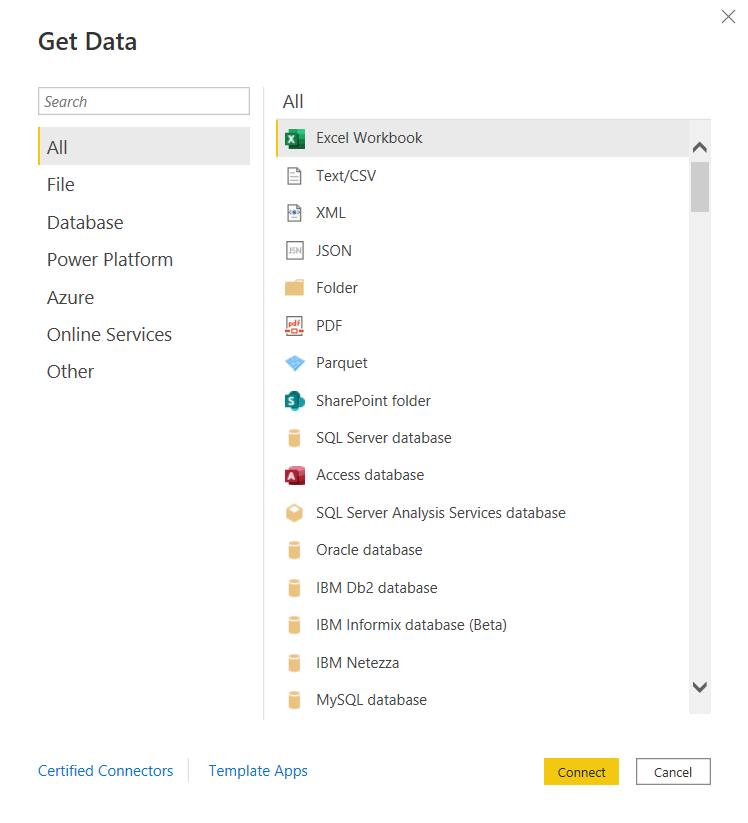

 and there are many more!



 The Data Community