Tag: Windows

Installing the OBIEE 12c Client on Windows

Installing the OBIEE 12c Client is straight forward.  Here are the steps.

Visit the Oracle Business Intelligence page on the Oracle website. Go to the Downloads tab.
OBIEE12c_Downloads
Select the version of Oracle Business Intelligence (OBI) 12c that you want to install.

When the version download page appears, select “Accept the License Agreement”, and then under “Oracle Business Intelligence Developer Client Tool (12.x.x.x)”, click on “for Windows x86-64 bit” – (see green arrows below)
AcceptLicenseAgreement_ThenDownload

Download and save the file to your computer.

After the download is complete, go to the downloaded zip file … bi_client_12.x.x.x.x_Windows.X64.zip
OBIEE12C_ExtractZip
Right-click on the file and select Extract All.  Or extract using another method.

After the executable has been extracted, right-click on it and “Run as administrator”.
OBIEE12c_RunAsAdministrator

This will start the installer

OBIEE12c_PreparingTheInstaller   OBIEE12c_Step0of5

Click through the next 5 steps

OBIEE12c_Step2of5

OBIEE12c_Step3of5

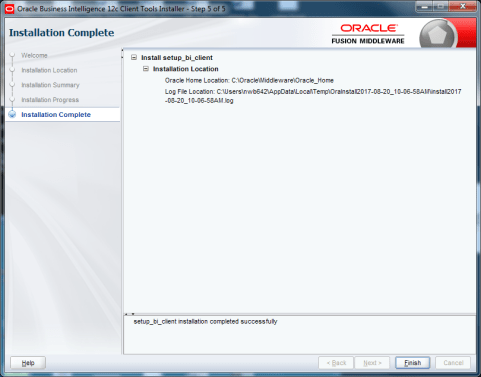
OBIEE12c_Step5of5

After the installation is complete, run one of the applications: Start -> Oracle Business Intelligence Client -> Administration
OBIEE12c_Run

The Oracle BI Administration Tool should open and be ready for you to use it.
OBIEE12c_BIAdministrationTool

Thanks for reading. Hope this helps.

Windows command to find equivalent directory name without space

You may occasionally run into an issue with OBIEE where it cannot locate the Java directories or files.  This is usually because Java has been installed in its default location under “C:Program Files…”.  This post may be helpful in resolving this issue.

At times, some OBIEE processes or programs do not like the spaces in directory or file names.  So, for example, you may get an error because the program does not locate the files under the “C:Program Files…” directory (due to the space in the name).

To resolve this, you will need to update the necessary Environment Variables to use the no-space equivalent of the windows directory.  To find the equivalent no-space name,  from your windows command prompt, go to the relevant directory (for example … cd C:) and enter … dir /X (as shown below).

dirX

Notice to the left of the regular directory name, there is another no-space name.  For example, “Program Files” has a no-space equivalent of PROGRA~1.

Now update all the relevant OBIEE related Environment Variables to use this no-space name instead of the regular name (see example below).

envvar