
You may want to disable online updates on your OBIEE RPD for performance reasons or because you have a specific development process that prohibits online updates.
To disallow online RPD updates, do the following:
Log into Enterprise Manager. Navigate the tree menu to Business Intelligence -> coreapplication. Click tabs “Capacity Management”, and “Performance”.
Under the RPD Updates section, check the box for “Disallow RPD updates”.
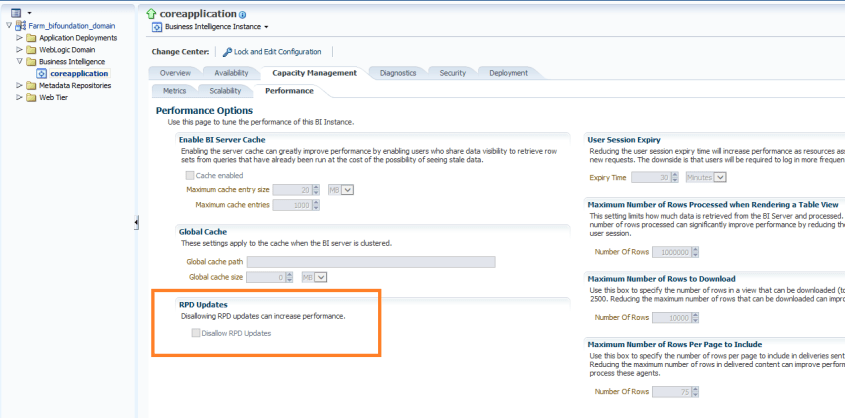
This will prevent online RPD updates for all.
If you want to allow a select group of people to have access to perform online updates, such as a lead developer or administrator, then don’t do the above, but instead provide Administrator role to those that should have the access, and remove it from those that should not (and give them BI Author role for example instead).
 The Data Community
This is good man.
LikeLike