
There is a bug in OBIEE 11g that makes the “Create” button Inactive in the Application Roles page in OBIEE 11g. The good news is the solution is very simple.
In case you have not yet seen this issue, but would like to know what this is referring to, then … login to the Enterprise Manager – http://yourserver:7001/em and expand Business Intelligence and click on coreapplication. Then navigate to the Application Roles page using one of the methods below …
Either from:
(1) the ‘Security’ -> ‘Single Sign On’ tab, select “Configure and Manage Application Roles”
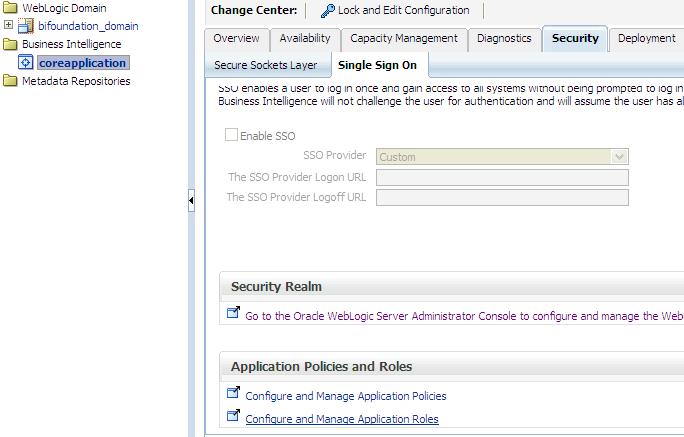
(2) or from the coreapplication drop down menu, select Security -> Application Roles

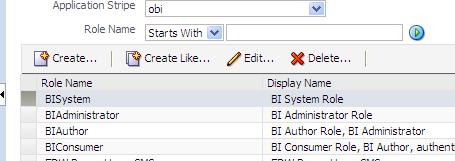
When you get to the Application Roles page, you will notice that the Create button is INACTIVE.

To activate the button, simply select the drop down for Application Stripe and select <No application stripe selected>, then reselect the appropriate Application Stripe such as obi.
The Create button will now be ACTIVE. Of course, click the play button to generate the list of Application Roles if necessary.
 The Data Community