Author: thedatacommunity

How to hide the Refresh, ‘Printer Friendly’ and ‘Add to Briefing Book’ Icons at the bottom of a dashboard page in OBIEE 10g

I was recently asked to completely remove or hide, from a particular page, the ‘Refresh’, ‘Printer Friendly’ and ‘Add to Briefing Book’ icons that automatically show up at the bottom of the OBIEE dashboard page in OBIEE 10g.

Refresh-PrinterFriendly-BriefingBook-Icons

I had never had the need to do this before, so I did a search and thankfully I quickly found the solution here …

http://obiee-bip.blogspot.com/2011/07/how-to-hide-refresh-printer-friendly.html

For your convenience, I will reiterate the solution here …

1. Edit Dashboard

2. Add a Text box object into the Dashboard Page

3. Add the following script to the Text Properties


function RemoveDefaults() {
var tds = document.getElementsByTagName(‘span’);
for (var td = 0; td

4. Check the option ” Contains HTML Markup “

5. Save the changes and view the Dashboard Page, the icons for Refresh, Printer Friendly & Add Briefing Book Options are hidden for that specific Dashboard Page alone

Data type related error in OBIEE 11g – Error Codes: OPR4ONWY:U9IM8TAC:OI2DL65P

If you receive an error like this in OBIEE 11g, this post may help you resolve the problem.  This is an error that you may get after upgrading from OBIEE 10g to 11g.

Error Codes: OPR4ONWY:U9IM8TAC:OI2DL65P
State: HY000. Code: 10058. [NQODBC] [SQL_STATE: HY000] [nQSError: 10058] A general error has occurred. [nQSError: 43113] Message returned from OBIS. [nQSError: 43119] Query Failed: [nQSError: 59140] The evaluation of the index 11 expression on row count -1 failed. [nQSError: 59001] Binary Logical operation is not permitted on VARBINARY, INTEGER operand(s). (HY000)

DataTypeError

OBIEE 10g is a lot more forgiving than 11g.  So what worked in 10g may not work in 11g – such as data type mismatches.  For this error, you need to check the data types of your columns and the data types of the values being used in your column calculations.

For example, you may have a column formula like this …

sum(case when “Table”.”Column”=3 then 1 else 0 end)

Note the column is being used like an INTEGER. This worked in 10g, but does not in 11g.

When you check the data type in your RPD, it may show that the column is a VARCHAR.  You then will need to put quotes around the value (the ‘3’) … like this …

sum(case when “Table”.”Column”=’3’ then 1 else 0 end)

This should hopefully solve the problem.

OBIEE Recent Releases & Support Information

12/5/2012: Picked up this information from the Business Analytics newsletter from Oracle.  It’s good to see that a cumulative patch is now available for all the 11.1.1.6.x releases.  Also, note that it seems the support for OBIEE 10.1.3.x will expire in July 2013 – that time will be here before you know it.

—————————————————————————————

10.1.3.x

The Premier Support for Oracle Business Intelligence Enterprise Edition 10.1.3.x ended in July 2013. For additional information on the de-support status and for details for moving towards recent release refer to:

  • OBIEE 11g: Required and Recommended Patches and Patch Sets [Doc ID 1488475.1]
  • ALERT: Required and Recommended Patch Levels For OBIEE 10g (10.1.3.x) Versions (Doc ID 1082987.1)

11.1.1.5.4

Oracle Business Intelligence Enterprise Edition (OBIEE) 11.1.1.5.4 Bundle Patch was released Oct-12.

This is available for download from the My Oracle Support | Patches and Updates:

Additional information is available from:

Refer to “Retiring Product” section for important information pertaining to OBIEE 11.1.1.5.x

11.1.1.6.x – Patch Set Updates

The OBIEE Patch Set Update (PSU) that were recently released are as follows:

  • OBIEE 11.1.1.6.4 PSU  – Sept 2012
  • OBIEE 11.1.1.6.5 PSU  – Oct 2012
  • OBIEE 11.1.1.6.6 PSU  – Nov 2012

11.1.1.6.6

Oracle Business Intelligence Enterprise Edition (OBIEE) 11.1.1.6.6 Bundle Patch was released Nov-12.

Bundle patches are a collection of controlled, well tested critical bug fixes for a specific product which may include security contents and occasionally minor enhancements. These are cumulative in nature meaning the latest bundle patch in a particular series would include the contents of the previous bundle patches released. A suite bundle patch is an aggregation of multiple product bundle patches that are part of a product suite.

For OBIEE on 11.1.1.6.0, it is planned for monthly run of bundle patch cadence. For the 11.1.1.6.6 bundle patch:

  • is now for download from My Oracle Support | Patches & Updates
  • includes 67 bug fixes.
  • is cumulative, so it includes everything in 11.1.1.6.1, 11.1.1.6.2, 11.1.1.6.2BP1, 11.1.1.6.4 and 11.1.1.6.5

Bundled Patch Details

  • 1 of 7 – Oracle Business Intelligence Installer [Patch 15844023]
  • 2 of 7 – Oracle Real Time Decisions [Patch 15844066]
  • 3 of 7 – Oracle Business Intelligence Publisher [Patch 14800665]
  • 4 of 7 – Oracle Business Intelligence ADF Components [Patch 15843961]
  • 5 of 7 – Enterprise Performance Management Components Installed from BI Installer 11.1.1.6.x [Patch 15844096]
  • 6 of 7 – Oracle Business Intelligence [Patch 14791926]
  • 7 of 7 – Oracle Business Intelligence Platform Client Installers and MapViewer [Patch 15839347]

Additional information may be found in the following Knowledge Articles:

Using Custom Images in OBIEE 10g & 11g

In both OBIEE 10g and 11g, custom images need to be placed in 2 folders before use within reports/dashboards.

 In OBIEE 10g, images need to be placed in:

(1)     $BIHOMEoc4j_bij2eehomeapplicationsanalyticsanalyticsress_oracle10images

Windows directory path example:
C:OracleBIoc4j_bij2eehomeapplicationsanalyticsanalyticsress_oracle10images

Linux directory path example:
/usr/local/OracleBI/oc4j_bi/j2ee/home/applications/analytics/analytics/res/s_oracle10/images

-and-

(2)    $BI_HOMEwebappress_oracle10images

Windows directory path example:
C:OracleBIwebappress_oracle10images

Linux directory path example:
/usr/local/OracleBI/web/app/res/s_oracle10/images


In OBIEE 11g, images need to be placed in:

(1)    $OBIEE_FMW_HOMEuser_projectsdomainsbifoundation_domainserversbi_server1tmp_WL_useranalytics_11.1.17dezjlwarress_blafpimages

Windows directory path example:
C:obiee11guser_projectsdomainsbifoundation_domainserversAdminServertmp_WL_useranalytics_11.1.1silp1vwarress_blafpimages

Linux directory path example:
/u01/product/middleware/user_projects/domains/bifoundation_domain/servers/bi_server1/tmp/_WL_user/analytics_11.1.1/7dezjl/war/res/s_blafp/images

-and-

(2)    $OBIEE_FMW_HOMEOracle_BIbifoundationwebappress_blafpimages

Windows directory path example:
C:obiee11gOracle_BI1bifoundationwebappress_blafpimages

Linux directory path example:
/u01/product/middleware/Oracle_BI1/bifoundation/web/app/res/s_blafp/images

Note: you may also create or use directories at the same level or below the images directories under the s_oracle10 (in 10g) and s_blafp (in 11g) directories, for example, if you wanted to put all your custom images into a separate directory.

Then in Answers / Analysis, you would reference the image as shown below.

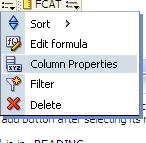
Edit the Column Properties:
ImagesDirectories-ColumnProperties

Then, in the Style tab, within the Cell area, click on the Image object…

ImagesDirectories-ClickImage

Then in the Graphics dialog, select “Custom Image” and enter  fmap:images/your_custom_image.jpg.

Note: If your images are in a directory other than the images directory, you need to supply that path, but still starting below s_oracle10 or s_blafp directories.

And set the Image Placement property. Images Left (shows the Image to the left of the column data), Images Right (displays the image to the right of the column data), Images Only (displays the image only – no column data)
ImagesDirectories-ImageNameAndPlacement

If new images were placed into the directories after the last BI Server / Presentation Server restart, you will need to restart the BI Server and Presentation Server for the images to be displayed.

How to remove the popup menu when navigating from one report to another via a navigation link

When you click on a navigation link value, by default a pop-up arises with the name of the possible report(s) that you can navigating to.  Even if it’s just one possible report, the pop-up still occurs (see example below). This happens after upgrading from OBIEE 10g to 11g, and there is no system wide setting to fix this.

Navigation-Popup

This can be annoying to users because its an extra unnecessary click. They want to be navigated to the next report after the single click on the navigation link.  Especially if they worked on OBIEE 10g before and did not have to do this. The good news is, removing this popup is easy.

Edit Dashboard

Edit the Analysis

Edit the Column Properties for the relevant column

EditColumnProperties

In the Column Properties dialog, go to the Interaction tab.
Check the box below the Action Links table for “Do not display in a popup if only one action link is available at runtime”

DoNotDisplayPopup

Once you check the box for one column in your analysis, it will become checked for all navigation link columns in that analysis  – so you do not need to check for others columns after you have done for any one column.

You will now be navigated directly to the next report without the popup showing. Unfortunately, this has to be done for each report because there is no system wide setting to change it for all.

Oracle Business Intelligence Enterprise Edition 11g (OBIEE 11g) Books

There are a few Oracle Business Intelligence Enterprise Edition 11g (OBIEE 11g) books on the market currently.  For quite sometime, not many books have been available for OBIEE, and in particular OBIEE 11g.

Anyway, below are 2 books that I think are worthwhile, and 1 that you might want to look into … the links take you to Amazon, and shows the paperback versions. But you can easily navigate to the Kindle versions from there. 

Oracle Business Intelligence Enterprise Edition 11g: A Hands-On Tutorial by Christian Screen, Haroun Khan and Adrian Ward (Jul 19, 2012)

Oracle Business Intelligence 11g Developers Guide by Mark Rittman (Sep 18, 2012)

Implement Oracle Business Intelligence (Volume 1) by Mr. Riaz Ahmed (Mar 30, 2012)

I read pretty much all of the Screen/Khan/Ward book and found it to be good, but experts might find it a bit basic.  I just started reading the Rittman book, got through the first 3 chapters, and so far it has been very good. 

I have not read the Ahmed book because it is not yet available on the Kindle, and that’s my preferred way of buying books due to its convenience. But it might be worthwhile checking it out.

Happy Reading!

EVALUATE_SUPPORT_LEVEL inside NQSConfig.INI is not set

If you use the Oracle EVALUATE function in OBIEE, then you will need to set a parameter in the NQSConfig.INI file in OBIEE 11g.

If you get this error below, then you are using the EVALUATE function somewhere inside OBIEE (in one of your analyses/requests) and the parameter needs to be set appropriately in the NQSConfig.INI file.

State: HY000. Code: 10058. [NQODBC] [SQL_STATE: HY000] [nQSError: 10058] A general error has occurred.
[nQSError: 43113] Message returned from OBIS.
EVALUATE_SUPPORT_LEVEL inside NQSConfig.INI is not set to support EVALUATE. (HY000)

This is what you need to do to correct the problem… 

Edit the NQSConfig.INI file, located at: OBIEE_INSTANCE/config/OracleBIServerComponent/coreapplication_obisn

This is what you will see by default in the config file…
————-
# EVALUATE_SUPPORT_LEVEL:
# 1: evaluate is supported for users with manageRepositories permssion
# 2: evaluate is supported for any user.
# other: evaluate is not supported if the value is anything else.
EVALUATE_SUPPORT_LEVEL = 0; 
————-

Change the parameter as follows: EVALUATE_SUPPORT_LEVEL = 2;

Save and restart the BI Server.  Your requests should work fine now.

OBIEE 10g: Unable to sort table although “Enable column sorting in dashboards” is checked

I discovered an interesting scenario recently. Although “Enable column sorting in dashboards” was checked (turned on), I was unable to sort on a particular table.  The mouse icon changed when I moused-over the column headings which gave the impression that it would sort, but it simply did not work.

Turns out there was an invalid “view” above the Table object in the Compound Layout. This happens when an object is removed from an analysis/request and its placeholder is not removed from the Compound Layout. See the screenshot below – notice the empty placeholder above the table with the message “The view that was in this position the the Compound Layout is no longer available. …”.

To fix the problem, simply remove/delete that invalid view from the compound layout and you will now be able to sort the table.

Configuring OBIEE 11g to use LDAP (Active Directory) Authentication with External Groups table

I have been working on configuring OBIEE 11g to use Active Directory for authentication and an external table for Groups.  It has been a bit of a challenge primarily because I was not familiar with the Active Directory terminology and parameters, and so I was initially doing some guess work – about what the various parameters should be set to, and it was not very easy to determine what was and what was not correct.

Anyway, thanks to a few Oracle documents and a few blog articles I have made significant progress and I think I have it working properly now, and testing it thoroughly.

Below are some of the documents and articles that I used…

Here you will find some Oracle documentation:

http://docs.oracle.com/cd/E14571_01/bi.1111/e10543/toc.htm

http://docs.oracle.com/cd/E23943_01/bi.1111/e10543/privileges.htm#BIESC6054

A great intro article:

http://www.rittmanmead.com/2012/03/obiee-11g-security-week-understanding-obiee-11g-security-application-roles-and-application-policies/

An article directly related to the topic:

http://www.rittmanmead.com/2012/03/obiee-11g-security-week-connecting-to-active-directory-and-obtaining-group-membership-from-database-tables/

These provided some more details that helped me to understand the parameters better and be in a better position to work with the Active Directory administrator:

http://bimetrics.wordpress.com/2011/08/12/integrating-ms-active-directory-with-obiee-11g-in-weblogic-server/

http://obieeelegant.blogspot.com/2012/01/obiee-11g-integration-with-ldap.html

http://paulcannon-bi.blogspot.com/2012/07/configuring-ldap-authentication-for.html

http://www.biztech.com/blog/2011/09/integrating-active-directory-with-obiee-11g/

Good luck!

The difference between using logical columns and physical columns in derived columns calculations

When you define a calculated measure column using a logical column, OBIEE performs the aggregation for the columns used in the calculation first, before applying the calculation.

So for example, if a calculated measure (Total Revenue) is derived from the product of two LOGICAL columns (Unit Price x Number of Items), then OBIEE will create SQL such that the Unit Price and Number of Items columns are aggregated first, and then the multiplication.

However, if the calculated measure is derived from the product of two PHYSICAL columns, then the multiplication will be executed first, and then the aggregation after.

This can make a difference in some cases, so know what you want to accomplish and then carefully choose the appropriate column type for your derived column.