
In this post I highlight a few of the new features of OBIEE 12c, and in some cases show how they differ from OBIEE 11g.
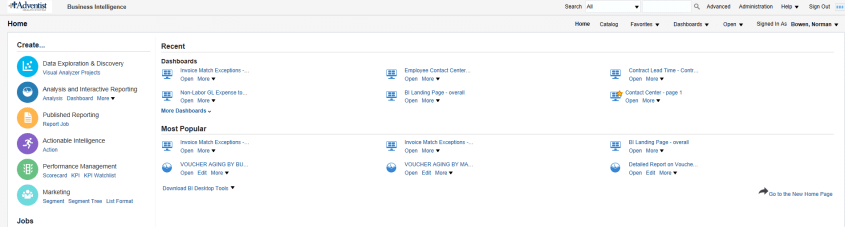
The OBIEE Home Page looks a bit different, and includes a new “Data Exploration & Discovery” option and functionality.
OBIEE 11g

OBIEE 12c
OBIEE 12c has a new visualization feature: Mouse-over highlights the selected area with animation.
For example, the below image shows what it looks like when you mouse-over the “14.8% purple” slice.
Note: In reports where the selection drills on the entire stacked column (such as in a vertical stacked graph), the drilling will operate the same as before – that is – if the drill was done on the selected area only in 11g, then that will continue to occur; If the report was drilling on the entire stack/column when clicked in 11g, that will continue to occur also (even though the animation only happens on the area that was clicked).

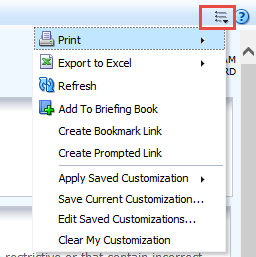
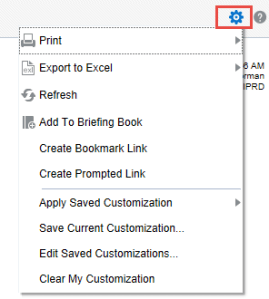
The Dashboard “Page Options” icon has changed from the “3 lines with the down arrow” to a “gear” icon.
OBIEE 11g
OBIEE 12c
OBIEE 12c now provides the ability to Sort in graphs by right-clicking and using the pop-up menu. So, you will now see the Sort option along with the Action Links when you right-click on a graph.

For report developers:
In OBIEE 12c: It is now possible to modify Column Properties from the Results tab – more efficient.

In OBIEE 12c: There is a new “Scale for % (x 100)” option in the Column Properties – Data Format tab.

In OBIEE 12c: You can create a new Calculated Column in the Results tab by clicking the “ruler” icon.

After adding the column, use the new “Save Column As” option to save the column. This is great feature that will allow for re-using calculated columns instead of having to re-enter the formula each time.

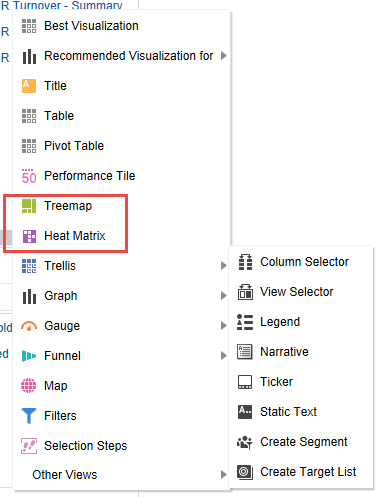
OBIEE 12c introduces 2 new visualization options – Tree Map and Heat Index
OBIEE 11g

OBIEE 12c
OBIEE 12c introduces a new Global Variable type, that can be a value or an expression.
OBIEE 11g  OBIEE 12c
In OBIEE 12c, there is a new “Subject Area Sort Order” option available in Account properties.
OBIEE 11g

OBIEE 12c

OBIEE 12c provides the ability to search a subject area by keyword entered, and to sort folders and columns in a subject area.
OBIEE11g 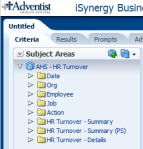 OBIEE 12c
In OBIEE 12c, there are a few new analytic functions. A new Analytics folder contains new functions Cluster, Evaluate Script, Outlier, Regr, and Trendline. The Aggregate folder contains a new function, Bin. And the Time Series Calculations folder contains a new function, Forecast.


 The Data Community